Odoo AI chatbot: the best options for Australian stores
The best Odoo AI chatbots for Australian stores, with AUD prices: Odoo's own AI agent, hosted chatbots, and Odoo apps, and what each costs in year one.
What are the best Odoo AI chatbots?
The best Odoo AI chatbot is Odoo's own AI agent if you're already on Odoo's Custom plan and want everything inside Odoo, Matey if you want one built and kept accurate for you, and Asyntai if you want the cheapest one you set up yourself.
The seven Odoo AI chatbots compared here are Odoo's own AI agent, Matey, Asyntai, WhisperChat, Softhealer's InsightMate, Webkul's Odoo Website Shopping Assistant, and ECOSIRE's AI Website Shopping Assistant. Each has its price in Australian dollars, who it suits, and its drawbacks, plus whether it works on Odoo Online and what it costs in its first year. Matey builds custom AI chatbots for Australian online stores, Odoo ones included, so we're one of the options. For the bigger picture across every platform, see our guide to AI chatbots for ecommerce.
| Odoo AI chatbot | Best for | Starting price (AUD) | How it goes on | Who sets it up |
|---|---|---|---|---|
| Odoo AI agent | Stores on Odoo's Custom plan that want the chatbot inside Odoo | Part of the Custom plan, $80 a user a month | Built into Odoo 19 and later | You |
| Matey | A custom AI chatbot that sells from your whole catalogue | $149 a month, built and installed free | Code in your website editor | Matey |
| Asyntai | The cheapest AI chatbot you set up yourself | Free for 50 replies, or about $57 a month for 800 | Code in your website editor | You |
| WhisperChat | A flat monthly price for a chatbot trained on your pages and files | About $71 a month | Free app from the Odoo Apps Store | You |
| InsightMate (Softhealer) | The cheapest Odoo app with hand-over to a person | About $119 once, plus AI fees | Odoo app | Your developer |
| Odoo Website Shopping Assistant (Webkul) | A cheap Odoo app that recommends products in the chat | About $131 once, plus AI fees | Odoo app | Your developer |
| AI Website Shopping Assistant (ECOSIRE) | An Odoo app built to order around your catalogue | From about $1,449, plus AI fees | Odoo app | ECOSIRE |
Prices are from each company's own pricing page, on monthly billing where it's offered, converted at the Reserve Bank's rate of about A$1.45 to the US dollar (RBA). Odoo's and Matey's prices are in Australian dollars. The Odoo Apps Store shows prices with a dollar sign and no currency, so we've treated them as US dollars.
1. Odoo AI agent
Odoo's AI agent is the Odoo AI chatbot that's built in. Odoo 19 and later have an AI app, and once it's installed beside Live Chat, an AI agent can answer website visitors, ask for more details, and create a lead in your CRM when a person needs to take over (Odoo's documentation).
Best for: stores already on Odoo's Custom plan, with someone happy to write the agent's instructions and keep its sources up to date.
Drawbacks: Odoo's documentation lists an agent's sources as PDFs, web links, files in the Documents app, and Knowledge articles. It doesn't say the agent searches your product catalogue or checks stock. Odoo's pricing page lists agentic AI under the Custom plan, not Standard, and the AI app isn't in the free Community edition. On Odoo.sh and on-premise you add your own AI provider's key and pay its fees.
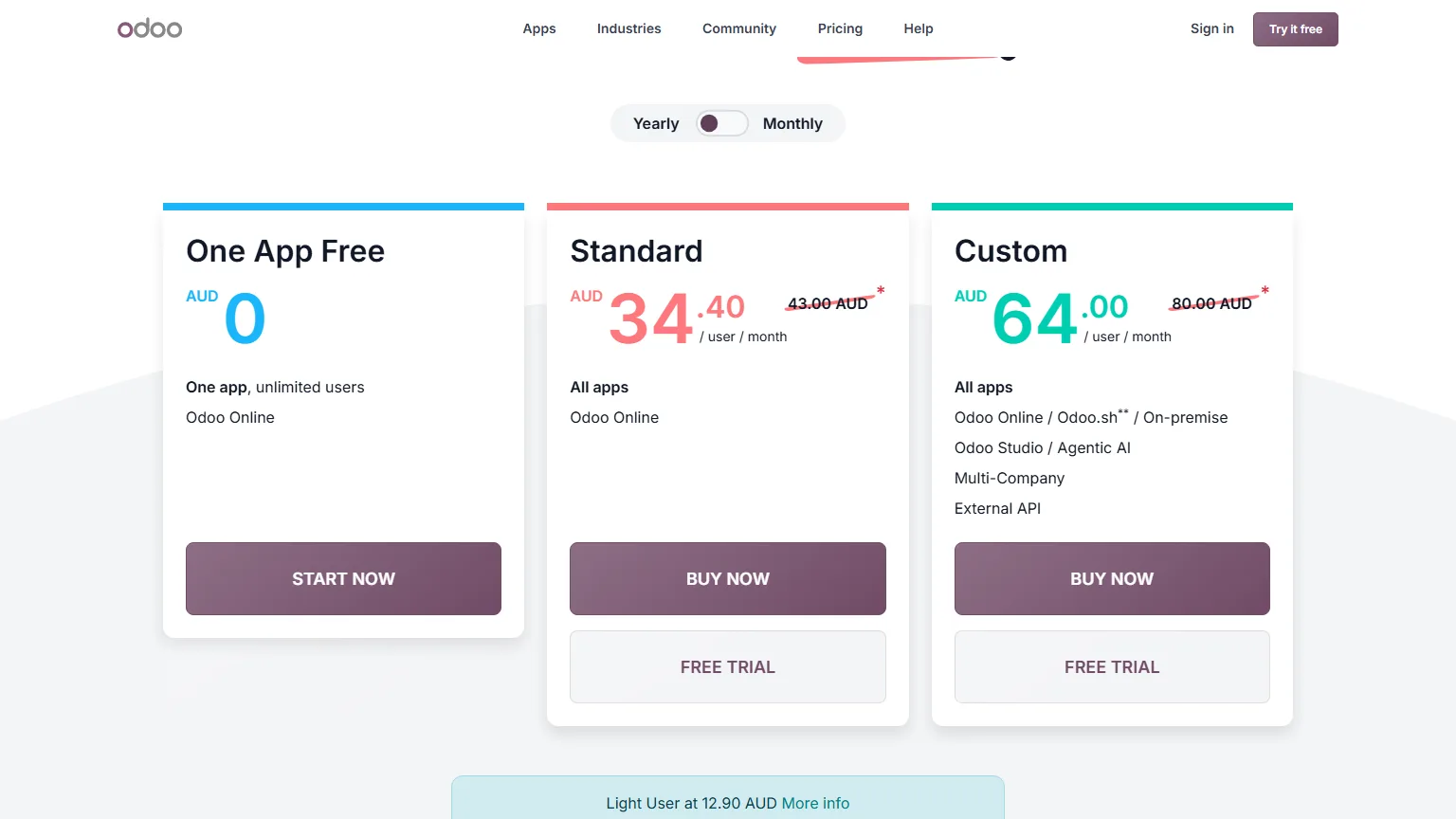
Price: Odoo's Custom plan is $80 a user a month billed yearly, or $100 billed monthly. Standard is $43 a user a month billed yearly, or $54 billed monthly. New customers get 20% off both for the first 12 months.
2. Matey
Matey is the Odoo AI chatbot for stores that want one built for them, around the way the store actually runs. A matey knows your whole Odoo catalogue, checks the live stock before it recommends anything, and answers from your own policies and advice.
- Built from your own data. Your catalogue, prices, stock, policies, buying guides, and blog, plus the rules your staff know but nobody wrote down.
- No Odoo app. It goes on with one line of code in your website editor, so it works on Odoo Online, Odoo.sh, and on-premise, and there's nothing to reinstall when you upgrade Odoo.
- You don't train it. We build it, install it, and keep it accurate. Tell us what's wrong and it's usually fixed within a few hours.
- Customised however you want. Its name, its tone, what it never says, and how it hands customers to your team.
A first version is usually ready within 24 hours. We've built one for an Australian Odoo store with more than 10,000 products.
Best for: Odoo stores with a big catalogue, lots of "which one do I need?" questions, and no time to train a bot or brief a developer.
Drawbacks: a matey isn't a helpdesk. It doesn't look up or refund orders, and it passes those to your team. It sits outside Odoo, so you read its conversations in Matey's dashboard, not in Odoo's Discuss inbox. You pay monthly rather than buying an app once.
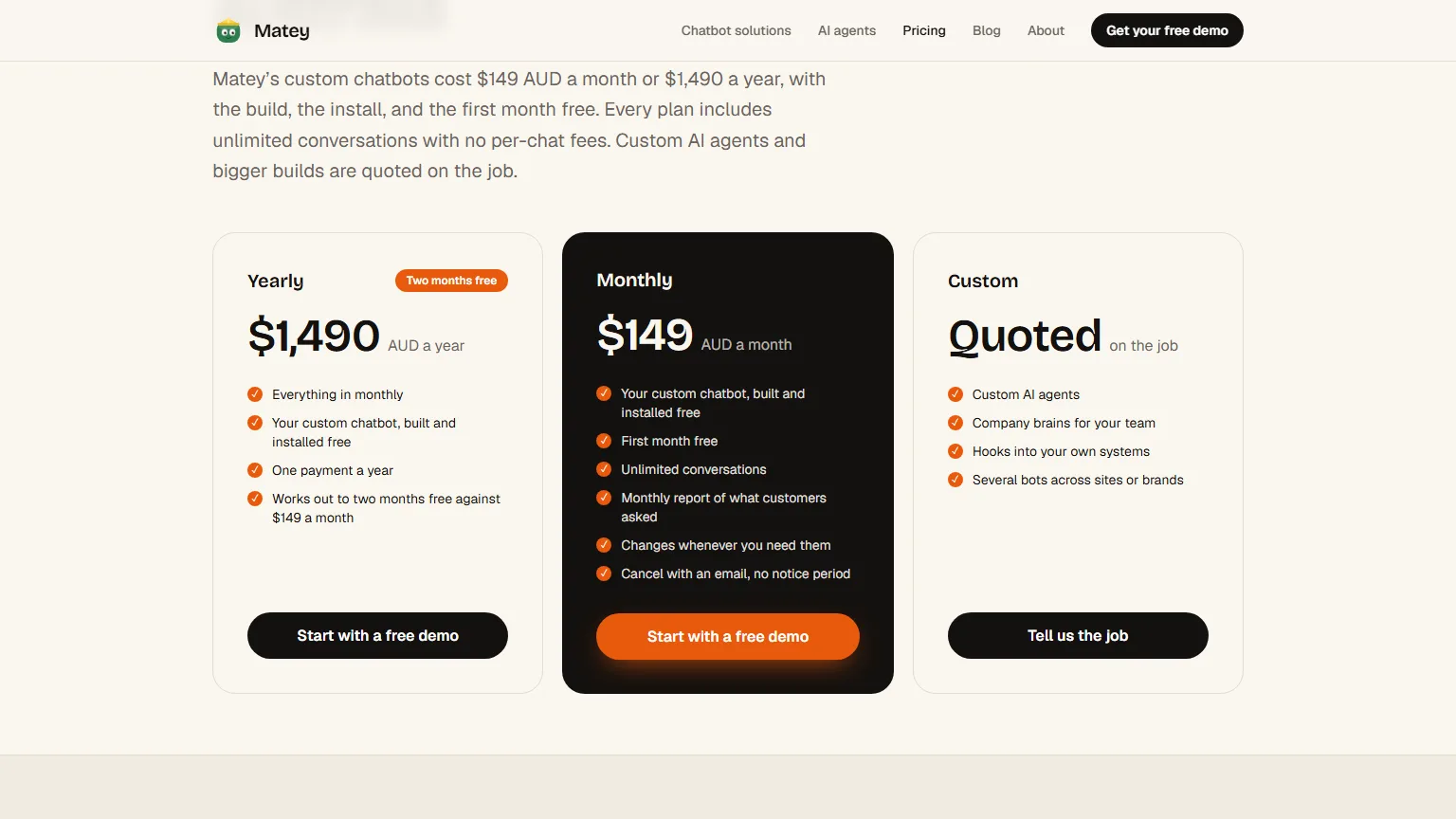
Price: a flat $149 AUD a month, or $1,490 a year, for every store, whatever its size. Every matey is built and installed free, the first month is free, conversations are unlimited, and you cancel with an email.
3. Asyntai
Asyntai is a hosted AI chatbot that reads your published website pages, and it's the cheapest Odoo AI chatbot you set up yourself. It isn't an Odoo app: you paste Asyntai's code into your Odoo website, and Asyntai says it works on Odoo 14 to 19, on Odoo Online and self-hosted sites.
Best for: small Odoo stores with a short list of common questions and an owner who likes tinkering.
Drawbacks: Asyntai works independently of your Odoo database, so it answers from your published pages and the PDFs you upload, not your live stock records. It's billed by the AI reply, not the conversation, so long chats use the allowance faster. Its Odoo page doesn't describe a hand-over to a person in the chat.
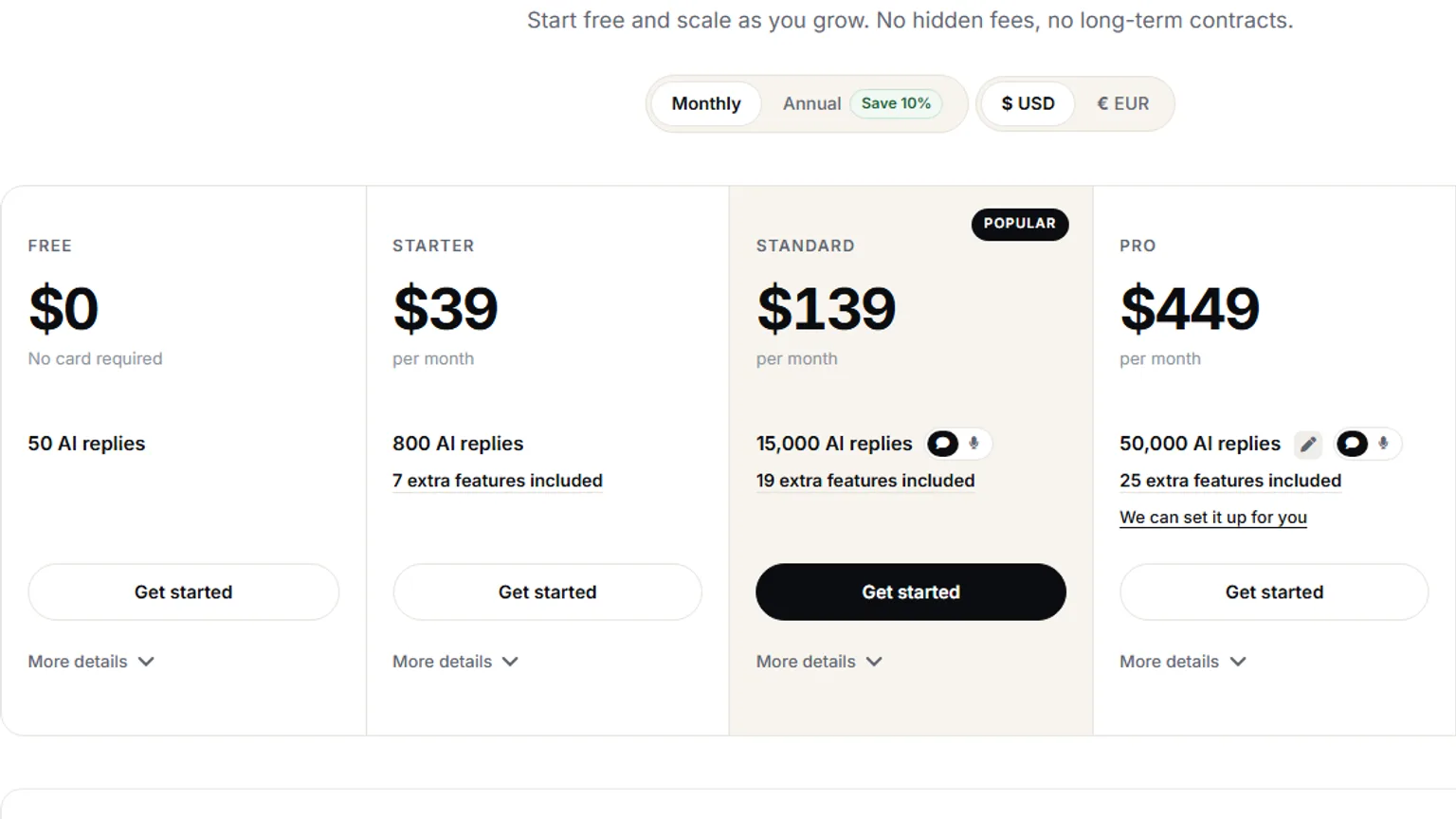
Price: the Free plan covers 50 AI replies. Starter is US$39 a month (about $57) for 800 AI replies, Standard is US$139 (about $202) for 15,000, and Pro is US$449 (about $651) for 50,000.
4. WhisperChat
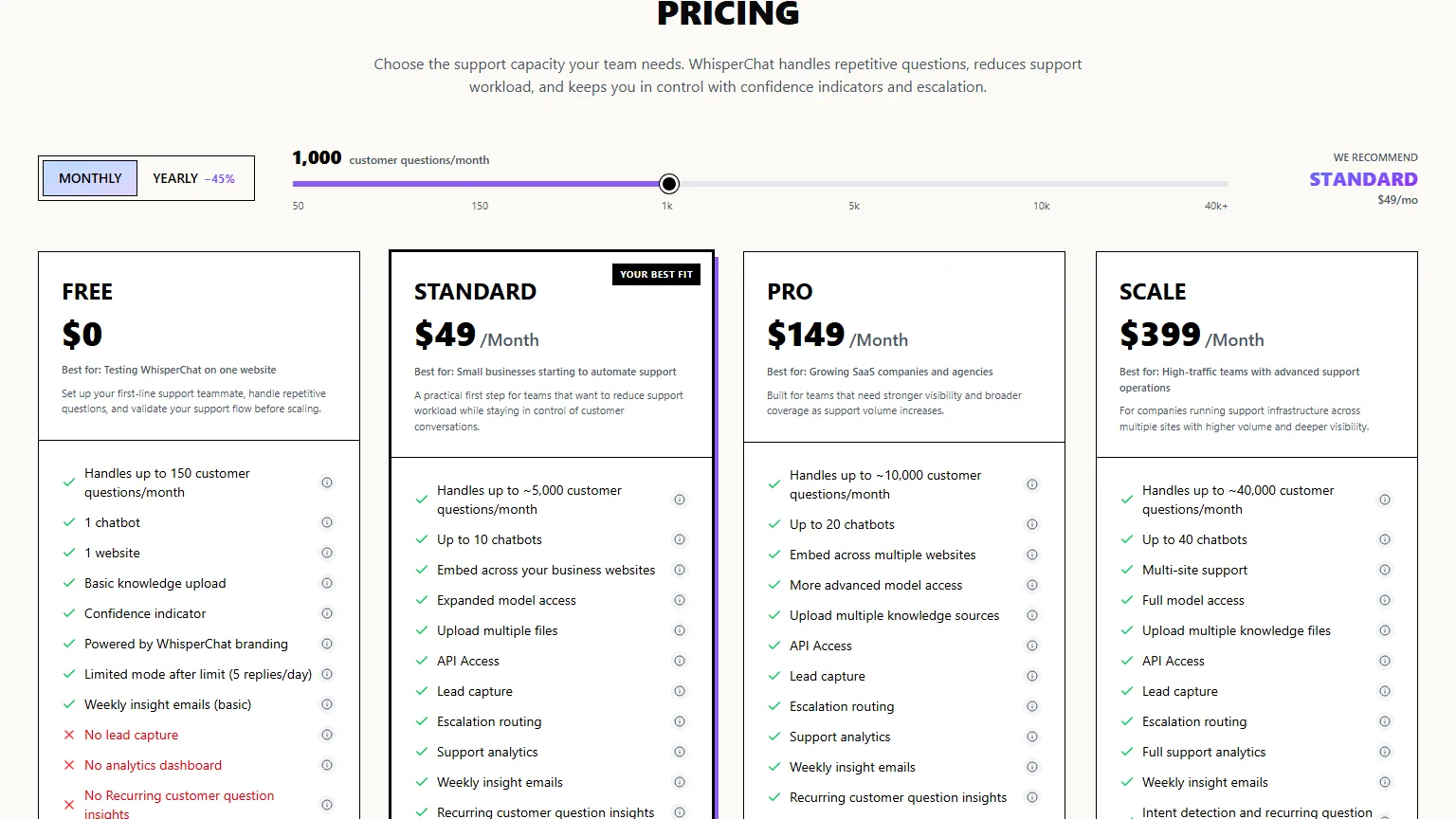
WhisperChat is a hosted AI chatbot you train on your website pages, PDFs, and your own questions and answers, and it's the Odoo AI chatbot with a flat monthly price and a big allowance. It connects through a free app on the Odoo Apps Store: you build the chatbot in WhisperChat, then paste its ID into the app's settings in Odoo.
Best for: Odoo stores that want to set up their own chatbot from existing pages and documents, on a fixed monthly bill.
Drawbacks: WhisperChat's own Odoo page says it doesn't read live Odoo records, so it can't check stock or orders, and it has no live hand-over to a person: it takes the visitor's details for your team. The Odoo connection needs a paid plan. Because it goes on as an Apps Store app, check it can be installed on your hosting first.
Price: Standard is US$49 a month (about $71) for about 5,000 customer questions, Pro is US$149 (about $216) for about 10,000, and Scale is US$399 (about $579) for about 40,000. The Free plan covers 150 questions a month on a website, but not the Odoo connection.
5. InsightMate by Softhealer
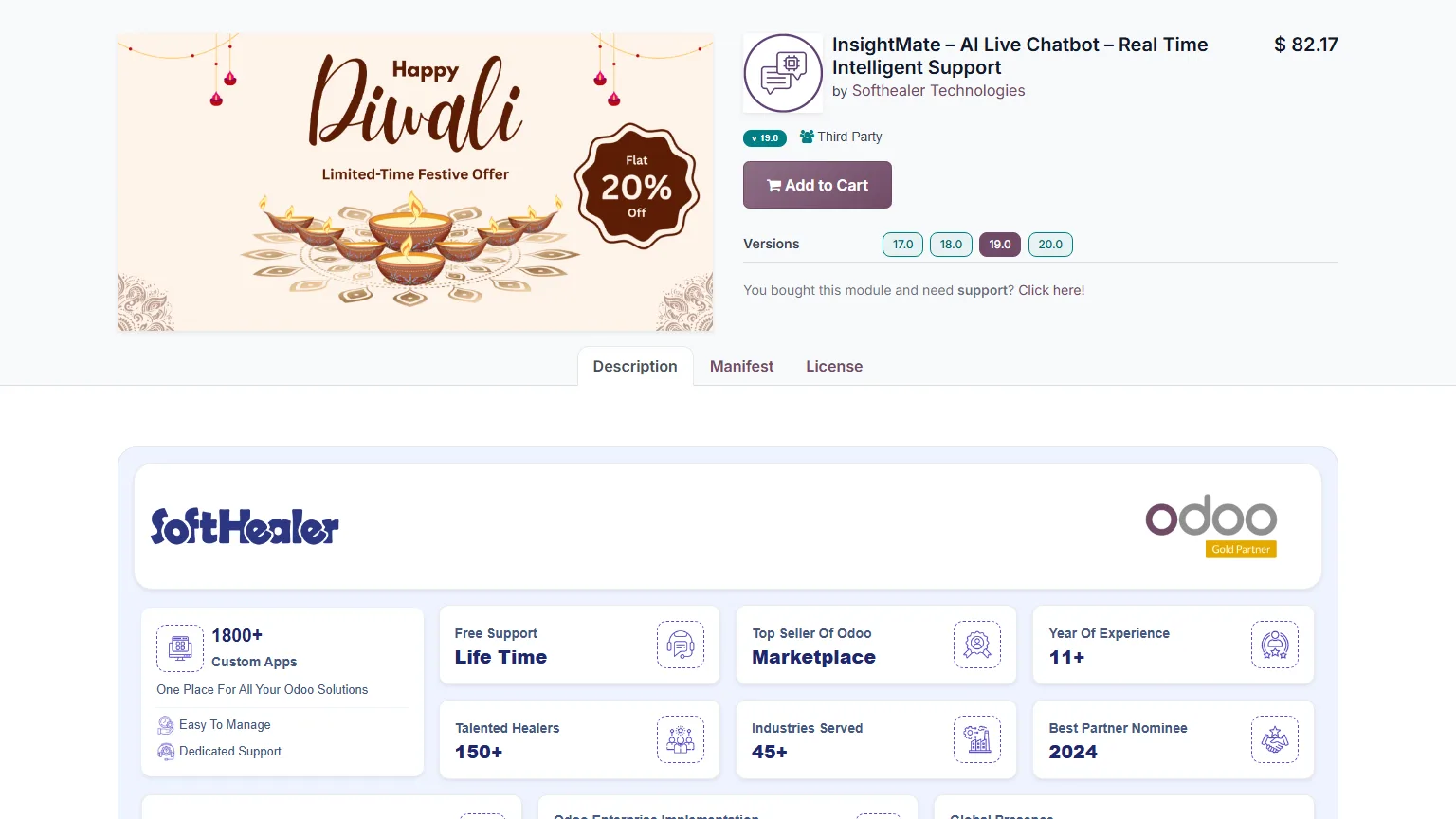
InsightMate is an AI live chatbot app for Odoo made by Softhealer Technologies, and it's the cheapest Odoo app here with a hand-over to a person. It answers from the Odoo records you let it read, your uploaded documents, and web pages, and a visitor can click Talk to Human to bring in one of your Live Chat operators.
Best for: stores on Odoo.sh or their own server, with a developer and a team already answering Live Chat.
Drawbacks: Softhealer's FAQ says InsightMate isn't compatible with Odoo Online. You choose which Odoo records it reads, bring your own AI provider, and pay its fees. Odoo apps are sold for one Odoo version, so check what an upgrade means before you buy.
Price: US$82.17 once (about $119) on its Odoo Apps Store listing, which was showing a 20% festive sale when we looked, plus your AI provider's fees.
6. Odoo Website Shopping Assistant by Webkul
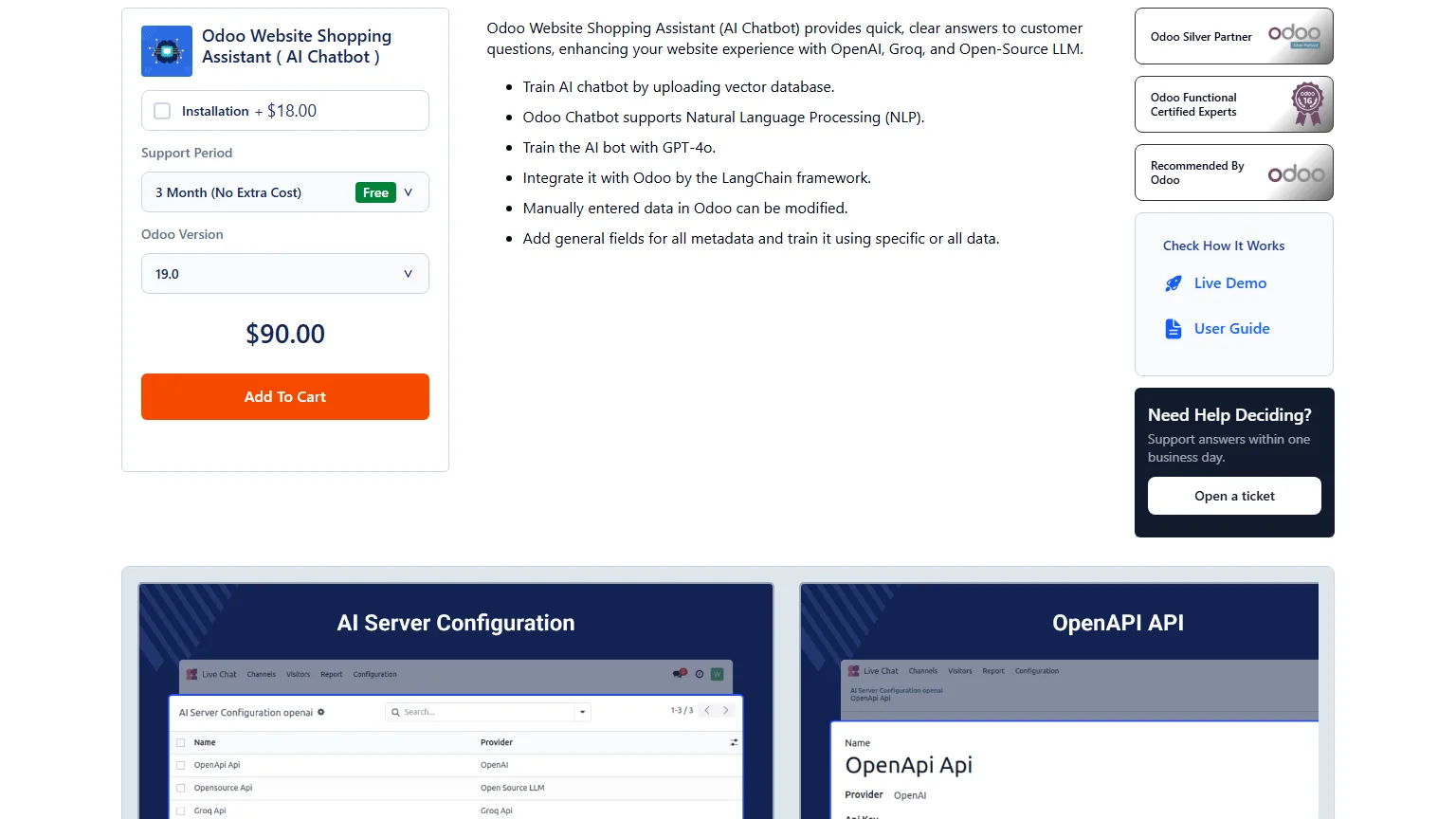
Webkul's Odoo Website Shopping Assistant is an Odoo app that adds an AI chatbot to your website, and it's a cheap way to get product recommendations in the chat. You train it on uploaded files and your Odoo records, it works with paid AI providers or open AI models you host, and Webkul's changelog says it now recommends products with add to cart and checkout in the conversation.
Best for: stores on Odoo.sh or their own server, with a developer who's comfortable setting up an AI provider.
Drawbacks: it's an Odoo app, so it's not for Odoo Online. You set up and pay for the AI provider yourself, and Webkul's page doesn't say the chatbot checks live stock. Support is included for three months, then costs extra.
Price: US$90 once (about $131), plus US$18 (about $26) for installation. A year of support is another US$45 (about $65). Your AI provider's fees are on top.
7. AI Website Shopping Assistant by ECOSIRE
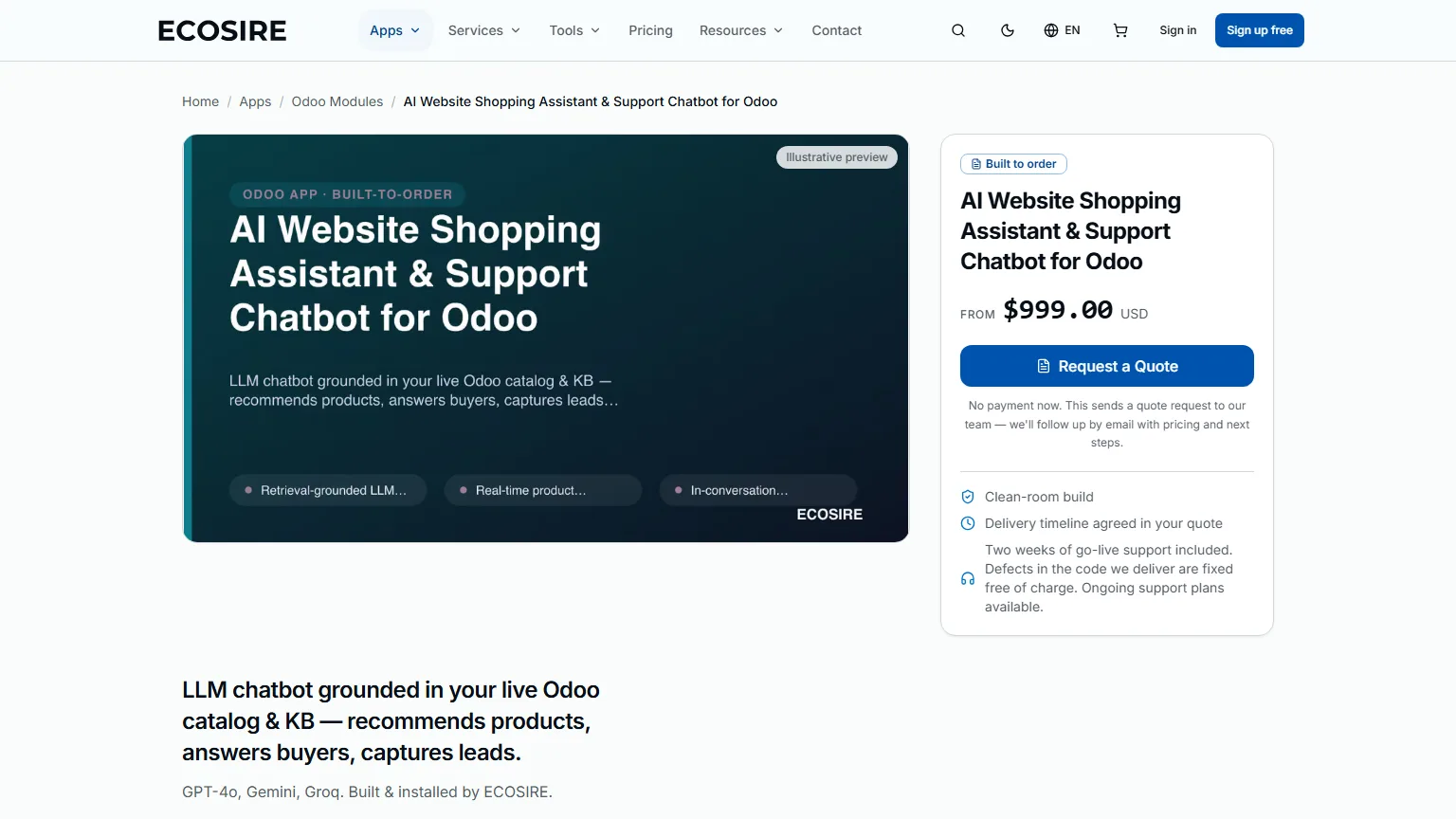
ECOSIRE's AI Website Shopping Assistant is an Odoo AI chatbot built to order: ECOSIRE designs, builds, and installs an Odoo app against your catalogue and brand. Its page says the assistant reads your products, variants, stock, and Knowledge articles, respects your pricelists, and gives customers add-to-cart links. It's for Odoo 17, 18, and 19, Community or Enterprise.
Best for: stores on Odoo.sh or their own server that want the chatbot inside Odoo and the code handed over.
Drawbacks: the price is a starting point and the real one comes in a quote. You pay your AI provider's fees, and after two weeks of go-live support, ongoing support is a separate plan. It's an Odoo app, so it's not for Odoo Online.
Price: from US$999 (about $1,449), quoted on the job, with go-live in about one working week according to ECOSIRE.
Is an Odoo AI chatbot for your staff or your customers?
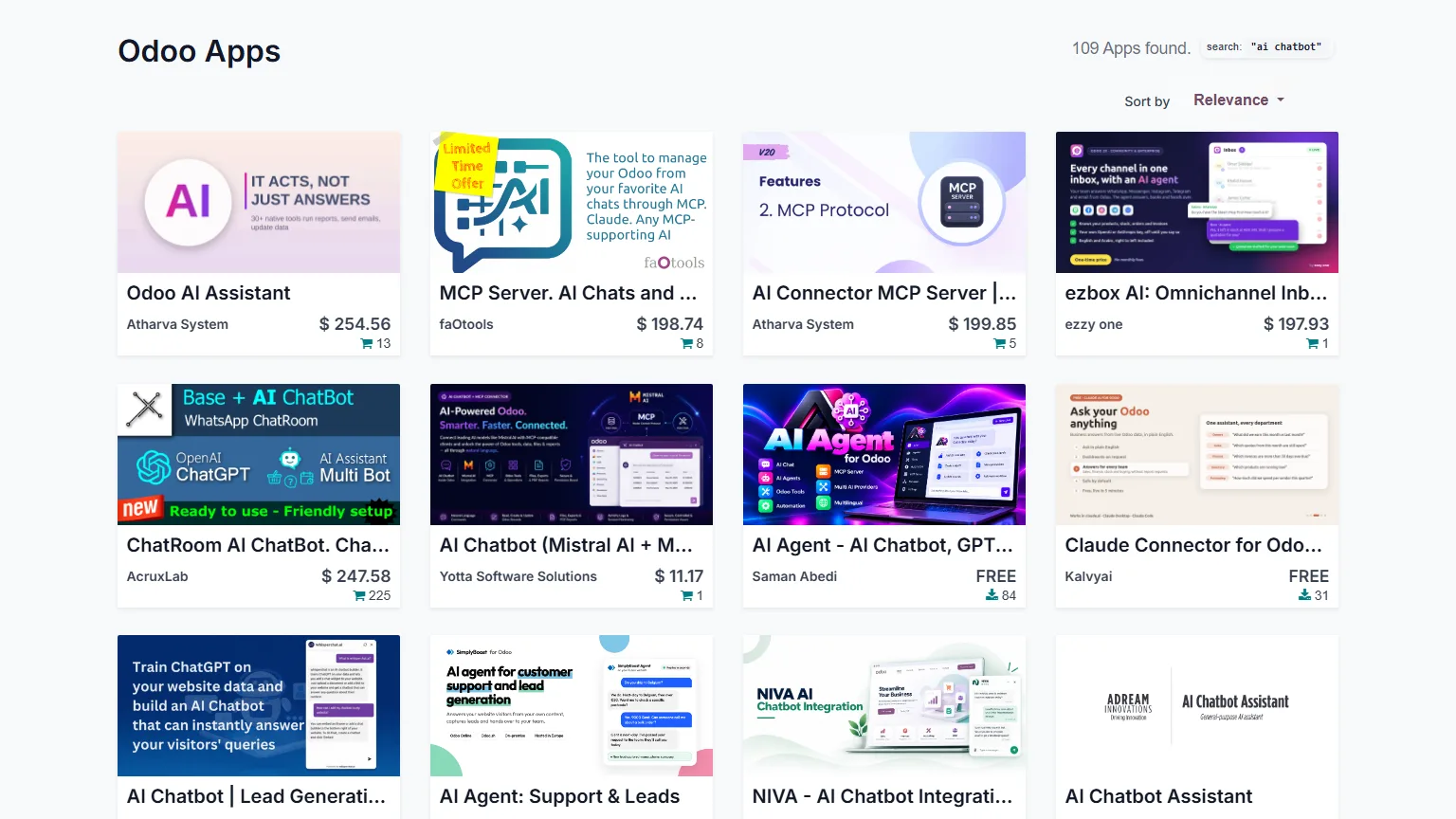
Most things called an Odoo AI chatbot are for your staff, not your customers. On the day we wrote this, a search for "ai chatbot" on the Odoo Apps Store returned 109 apps, and the top three were tools for staff: an AI assistant for Odoo's back office, and two connectors that let AI apps read your Odoo data.
There are two different jobs here, and a tool that does one rarely does the other:
- A staff assistant sits inside Odoo's back office. It answers "what did we sell last week?" and opens the right report. Odoo's own Ask AI button is one of these.
- A customer chatbot sits on your website. It answers "which one do I need?" and "is it in stock?" for shoppers, any hour, and hands over to your team when it should.
Every option in this guide is the second kind. If you only want your team to ask Odoo questions, Odoo 19's built-in AI may already do it.
Does Odoo have a built-in AI chatbot?
Yes. Odoo 19 and later have an AI app, and one of its AI agents can be assigned to a Live Chat channel to answer website visitors. Odoo's documentation for versions 17 and 18 has no AI app, and the free Community edition doesn't include it.
Odoo has two chatbots, and they're different types:
- The Live Chat chatbot is scripted. Odoo's documentation describes it as following "a script of pre-written steps", like asking a question with set answers, collecting an email, or forwarding to an operator.
- The AI agent writes its own answers from the sources you give it, and creates a lead when it can't answer with confidence. If a Live Chat channel has both, the AI agent takes priority.
Our guide to the types of chatbots explains the difference between scripted and AI chatbots, with examples.
Can you install an AI chatbot app on Odoo Online?
No. Odoo Online can't take apps from the Odoo Apps Store. Odoo's documentation says it plainly: "Odoo Online is incompatible with custom modules or modules from the Odoo Apps Store" (Odoo's documentation). That rules out most Odoo AI chatbot apps before you compare a single feature.
| Odoo AI chatbot app | Hosted AI chatbot | |
|---|---|---|
| Works on Odoo Online | No | Yes |
| Works on Odoo.sh and on-premise | Yes | Yes |
| How it goes on | Installed on your server, usually by a developer | One line of code in your website editor |
| What you pay | A licence, plus AI fees and sometimes support | A monthly or yearly plan |
| Odoo upgrades | Bought for one Odoo version | Nothing to reinstall |
| Who fixes it | You or your developer | The company that runs it |
A hosted chatbot is better for most small Australian Odoo stores, and it's the only kind that works on Odoo Online besides Odoo's own AI agent. An Odoo app is better if you're on Odoo.sh or your own server, have a developer on hand, and want the chatbot's data to stay inside Odoo.
How much does an Odoo AI chatbot cost?
An Odoo AI chatbot costs from about $119 to over $2,400 in its first year, depending on whether you buy an Odoo app or pay for a hosted chatbot by the reply. Here's year one for a store whose chatbot answers 300 chats a month, at about four replies a chat, from each company's own pricing page.
| Odoo AI chatbot | Year one (AUD) | How we worked it out |
|---|---|---|
| InsightMate (Softhealer) | About $119, plus AI fees and a developer | US$82.17 licence |
| Odoo Website Shopping Assistant (Webkul) | About $157, plus AI fees | US$90 licence and US$18 installation |
| WhisperChat | About $853 | Standard at US$49 a month |
| AI Website Shopping Assistant (ECOSIRE) | From about $1,449, plus AI fees | US$999 starting price |
| Matey | $1,490 | Yearly plan, unlimited conversations, built and installed free |
| Odoo AI agent | $2,220 more than Standard for five users | Custom at $80 a user a month against Standard at $43, at Odoo's full yearly prices |
| Asyntai | About $2,419 | 1,200 replies a month is over Starter's 800, so Standard at US$139 a month |
The Odoo apps look cheapest, but their prices leave out two bills: the AI provider's fees, charged by usage in US dollars, and your developer's hours to install the app and set up the AI. If your store is already on Odoo's Custom plan, Odoo's AI agent adds nothing to your subscription. Pricing by the reply is cheap when you're quiet and dear in your busiest months: Black Friday, Christmas, and EOFY.
What should an Odoo AI chatbot know about your store?
An Odoo AI chatbot should know your whole catalogue, what's in stock today, your policies, and the advice your staff give. Most Odoo AI chatbots learn from the pages and files you hand them, which covers your policies but not what's on the shelf this afternoon.
- Every product, not just the ones on your homepage or in your FAQ.
- Live stock before it recommends anything. Products sell out during the day, not overnight.
- Variants done properly. Only the sizes, colours, and models you actually have.
- Sold out or ordered in. Many Odoo stores sell products they order in for the customer, and a chatbot has to know those from the ones that are gone.
- Your own content. Buying guides, blog posts, and the rules nobody wrote down.
Matey's build for an Australian Odoo store with more than 10,000 products knows every one of them, tells sold out from ordered in, and checks the shelf again before every reply. Here's a matey on a made-up outdoor store, putting a first camping kit together for a family on a budget:
How do you add an AI chatbot to an Odoo website?
You add a hosted AI chatbot to an Odoo website by pasting its code into the website editor's Code Injection box. It takes about five minutes and needs no developer.
- Open your website and click Edit.
- Go to the Theme tab.
- Scroll down to the Advanced section.
- Click the head and body button next to Code Injection.
- Paste the chatbot's code and click Save.
- Done! Open your store in a new tab and the chatbot is in the corner.
An Odoo AI chatbot app goes on differently. Your developer adds it to your server or your Odoo.sh project, installs it from the Apps menu, and then you add your AI provider's key in its settings. Odoo's own AI agent is assigned in the Live Chat app: open a channel, choose Configure Channel, and pick the agent in the AI Agent field on the Rules tab.
Is there a free Odoo AI chatbot?
Yes, but the free ones are small. Asyntai's Free plan covers 50 AI replies. WhisperChat's Free plan covers 150 questions a month, but not its Odoo connection. Some Odoo AI chatbot apps on the Odoo Apps Store are free to download, but you pay the AI provider they run on, and a developer to set them up. Odoo's scripted Live Chat chatbot is free with Live Chat, but it isn't AI.
Who is responsible when an Odoo AI chatbot gets it wrong?
The store is. In Australia the ACCC has made it clear that a business can't sidestep the Australian Consumer Law by blaming an algorithm (Inside Retail). What your Odoo AI chatbot tells a customer is treated like what your staff say, so a wrong price, a product that isn't there, or a refund promise is your problem.
That's why it matters whether a chatbot checks live prices and stock, or answers from whatever it read at setup. It's also why every option here should send what it isn't sure of to a person.
How do you choose an Odoo AI chatbot?
Use the Matey Odoo test: seven checks before you pay for any Odoo AI chatbot.
- Check your hosting first. On Odoo Online, apps from the Odoo Apps Store are out.
- Ask it about a product with variants. "Have you got the blue one in a medium?" It should know, today.
- Ask it a question only your staff know. "Which one do I need for a 2019 Hilux?"
- Check it knows your whole catalogue, not just your FAQ pages.
- Price your busiest month in Australian dollars, including AI fees charged by the reply.
- Ask who handles your next Odoo upgrade. An Odoo app is bought for one version.
- Ask where your customers' chats are stored, and whether you can take them with you.
Want to see a matey answer real shopping questions? Try a matey on the homepage, or ask the matey in the bottom right corner of this page.
FAQs
What is the best AI chatbot for Odoo?
The best AI chatbot for Odoo for most small Australian stores is Odoo's own AI agent if you're already on Odoo's Custom plan, Matey if you want one built and kept accurate for you, from a flat $149 AUD a month, and Asyntai if you want the cheapest one you set up yourself.
How much does an Odoo AI chatbot cost in Australia?
An Odoo AI chatbot costs from about $119 once for an Odoo app like Softhealer's InsightMate, plus AI fees and a developer, to about $2,419 a year for Asyntai answering 300 chats a month. Matey is $1,490 a year, built and installed free, with unlimited conversations.
Does Odoo have a built-in AI chatbot?
Yes. Odoo 19 and later have an AI app, and its AI agents can answer visitors in Odoo's Live Chat. Odoo's pricing page lists agentic AI under its Custom plan. Older versions and the free Community edition only have Live Chat's scripted chatbot, which follows pre-written steps.
What are the Odoo 19 AI features?
Odoo 19's AI features are an Ask AI button in every app, AI agents you can give your own sources and instructions, an AI agent for Live Chat, AI fields, AI server actions, AI in email templates, document sorting, voice transcription, and help writing and improving text, according to Odoo's documentation.
Can you install an AI chatbot app on Odoo Online?
No. Odoo's documentation says Odoo Online is incompatible with custom modules and modules from the Odoo Apps Store. On Odoo Online, your choices are Odoo's own AI agent or a hosted AI chatbot that goes on with a line of code in the website editor.
How do I add an AI chatbot to an Odoo website?
To add a hosted AI chatbot to an Odoo website, open your website, click Edit, go to the Theme tab, scroll to Advanced, click the head and body button next to Code Injection, paste the code, and save. An Odoo app is installed on your server by a developer instead.